Need to keep a video from Instagram? The VidMate Instagram video downloader turns any public Instagram link into a normal file: 1080p MP4 with sound, a lighter MP4, or an MP3. It handles Reels, feed videos, carousel videos and long videos. Paste the link above and press Download. No app, no login, no watermark added.
Quick answer: Copy link in Instagram → paste above → Download → Download HD.
How to download Instagram videos
On your phone
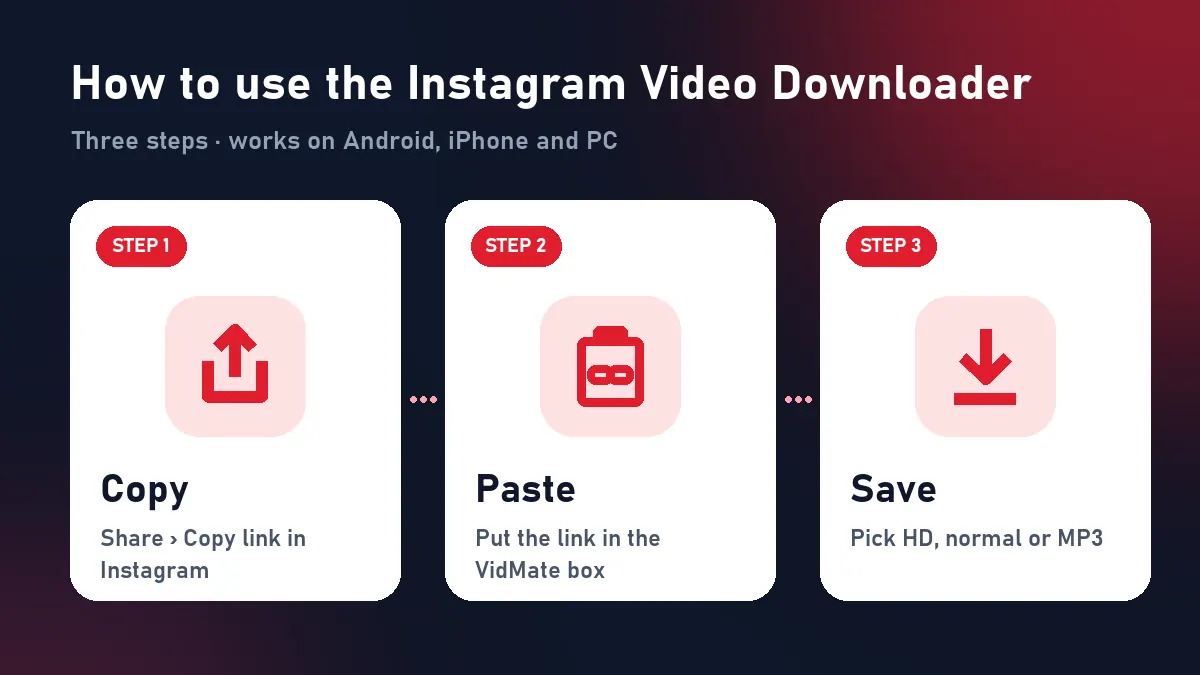
- Open the video in Instagram.
- Tap the paper plane (Reels) or ⋯ (posts) and choose Copy link.
- Open VidMate in your browser and paste the link.
- Tap Download, then Download HD.
- Android saves to Files › Downloads; on iPhone open Files › Downloads and tap Share › Save Video.
On a computer
Open the post on instagram.com, copy the address bar, paste it here and click Download HD. If Instagram covers the page with a login box, close it; the address is still right.
Every type of Instagram video
| Type | Example link | Result |
|---|---|---|
| Reel | instagram.com/reel/… | MP4 up to 1080×1920 |
| Feed video | instagram.com/p/… | MP4 up to 1080p |
| Carousel with a video | instagram.com/p/… | First video of the post |
| Long video (ex-IGTV) | instagram.com/tv/… | MP4 in original size |
| Story / Highlight | instagram.com/stories/… | Not supported |
The Instagram video downloader only accepts Instagram links on this page; a TikTok or YouTube link gets a pointer to the right downloader.
What happens behind the button
Instagram streams video with DASH: picture and sound live in separate files, and the app mixes them as it plays. When you press Download, VidMate asks Instagram for the best picture and the audio track and merges them into one MP4 as it sends it to you. There’s no re-compression, so you save Instagram videos in exactly the quality Instagram stores.
Pick the right format
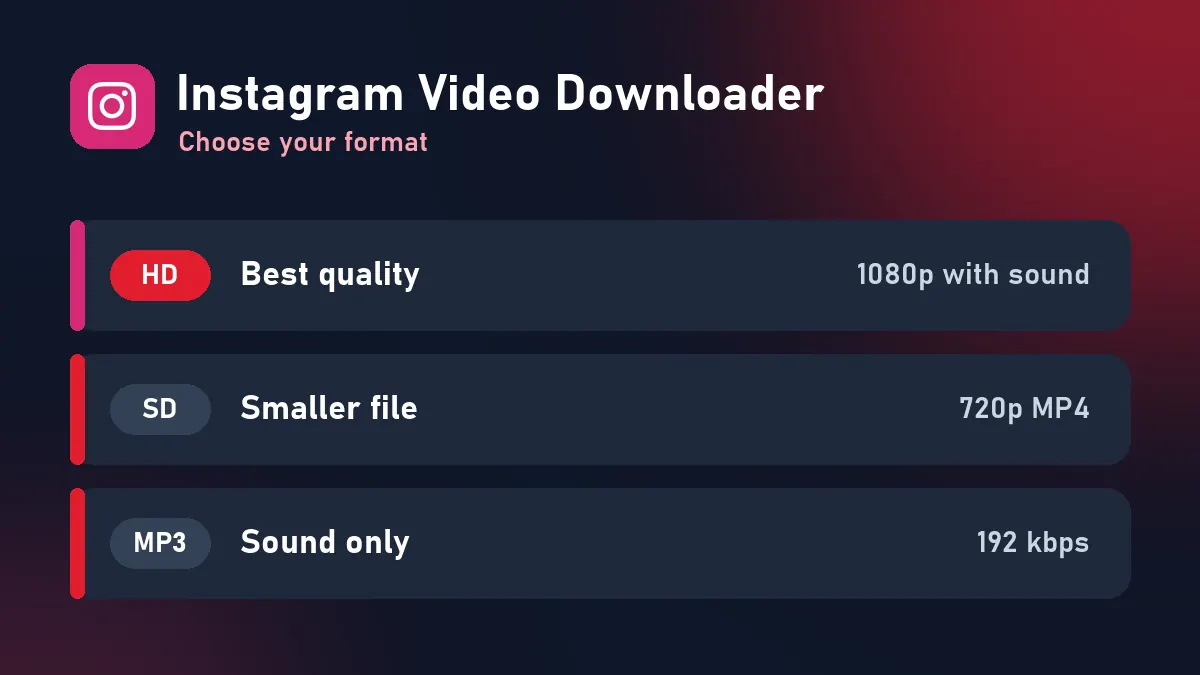
- Download HD: the full-quality MP4. Best for editing in CapCut or InShot, posting your own video elsewhere, or watching on a big screen.
- Download: a smaller MP4 for WhatsApp, Telegram or low storage.
- Download MP3: only the sound, for music, recitations, motivational speeches or study audio.
Instagram video download tips
- Copy the link of the post itself, not the profile.
- Check the account is public: open the link in a private browser window. If it plays there, it downloads here.
- For a carousel, VidMate saves the first video. To get another slide, check whether it has its own link.
- Download buttons stay valid for 10 minutes; after that, paste the Instagram link again.
Instagram video downloader vs screen recording
Screen recording catches notifications, lowers the resolution and records sound through the phone speaker settings. Downloading saves the original file: sharper, smaller and with clean audio. It’s also faster, about three seconds per video.
Problems and fixes
| What you see | Why | Fix |
|---|---|---|
| “Private or needs a login” | Private account, Story or Highlight | Only public videos work |
| “No video found” | Photo-only post | Pick a post with a video |
| “Refused the request” | Instagram slowed our server | Try again in a minute |
| File plays without picture on old PC | Rare codec issue | Use the normal Download button or VLC |
Prefer Reels only? The Instagram Reel downloader page focuses on Reels with sound.
Respect Instagram creators
Save your own uploads, tutorials for offline viewing, and videos you have permission to reuse. Don’t repost someone else’s video as yours; credit the creator when you share.
Frequently asked questions
Which Instagram videos can I download?
Any video from a public account: Reels, feed post videos, carousel videos and older IGTV-style long videos. Stories and private accounts need a login and aren't supported.
Why do some Instagram downloaders lose the sound?
Instagram keeps the picture and the audio as separate streams. VidMate merges them, so every Instagram video download plays with sound.
Is there a limit on how many Instagram videos I can save?
No daily limit. A short per-minute limit only blocks bots.
Can I download Instagram videos on a laptop?
Yes. Copy the post address from instagram.com, paste it here and the video lands in your Downloads folder.
Can I save just the audio of an Instagram video?
Yes. Press Download MP3 to save the sound as a 192 kbps MP3.
Do I need to log in to Instagram?
No. VidMate never asks for your Instagram account.